网页
综合
更新时间 2026-10-29 07:30:00
Web app: Grid size options · Sketch
Discover the latest features in Sketch
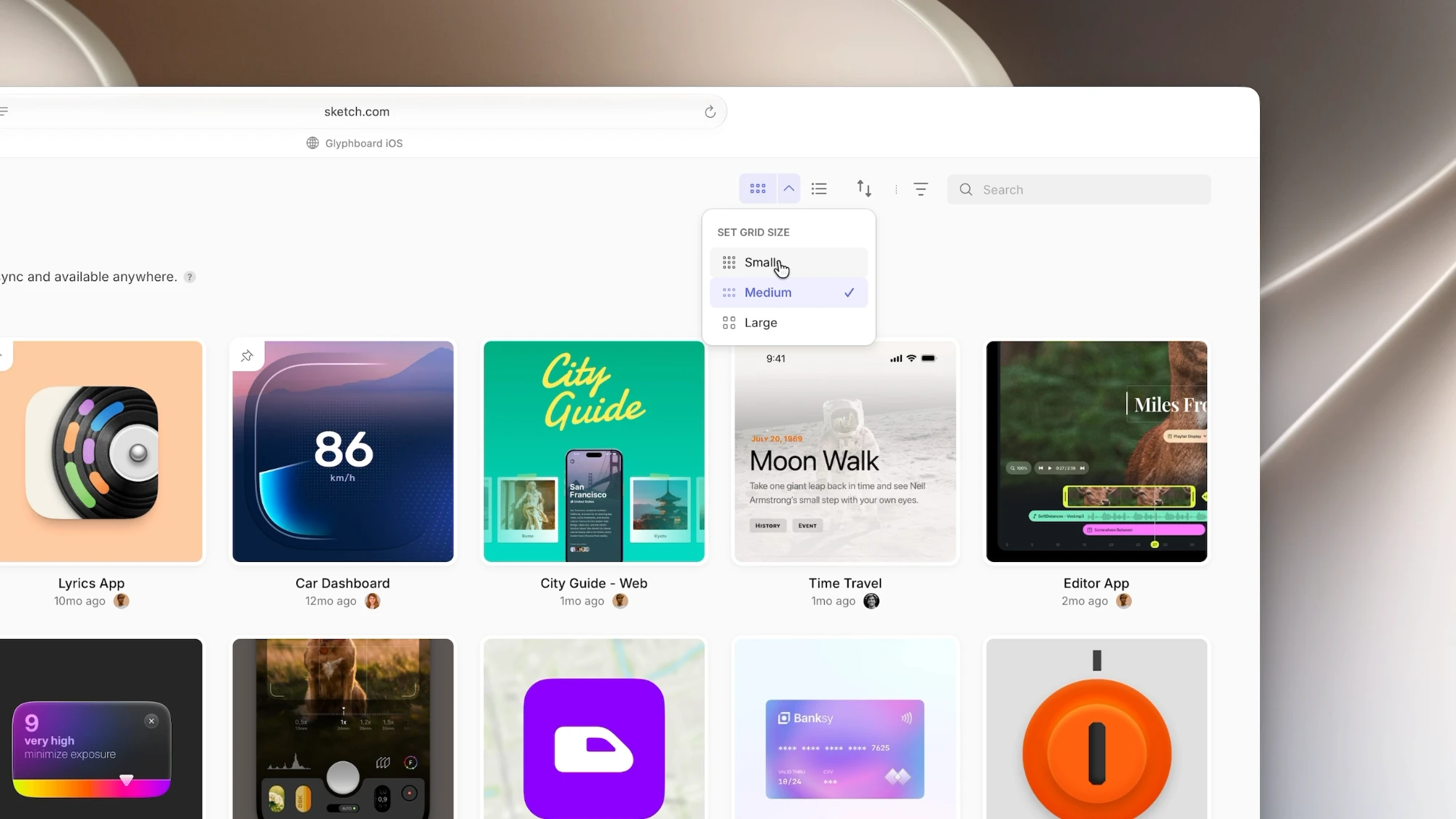
Grid view in the web app now comes in three sizes — small, medium, and large. Go small when you want to scan a lot of documents at once. Go large when you need a proper look at each thumbnail before you open it.
To change the size, click next to the grid view button in the top-right corner and pick Small, Medium, or Large. It works anywhere you can switch between grid and list view, including All Documents, Libraries, Templates, Trash, and your projects and folders. We’ll remember the size you pick.
If you prefer to stay on your keyboard, you’ll also find these options in the Command Bar (⌘K) while you’re in grid view.
Docs: Changing the grid size
Get all the latest news, blog posts and product updates from Sketch, delivered directly to your inbox. We’ll rarely send more than one email a month.
Grid view in the web app now comes in three sizes — small, medium, and large. Go small when you want to scan a lot of documents at once. Go large when you need a proper look at each thumbnail before you open it.
To change the size, click next to the grid view button in the top-right corner and pick Small, Medium, or Large. It works anywhere you can switch between grid and list view, including All Documents, Libraries, Templates, Trash, and your projects and folders. We’ll remember the size you pick.
If you prefer to stay on your keyboard, you’ll also find these options in the Command Bar (⌘K) while you’re in grid view.
Docs: Changing the grid size
Get all the latest news, blog posts and product updates from Sketch, delivered directly to your inbox. We’ll rarely send more than one email a month.
本页为82搜索生成的网页快照,内容来自站内索引;演示数据的原文链接仅作示例。