网页
综合
更新时间 2026-11-13 18:41:24
Photo to Video AI Generator – Image to Video AI | ReelMorph
YOUR PHOTO. A WHOLE NEW SCENE.
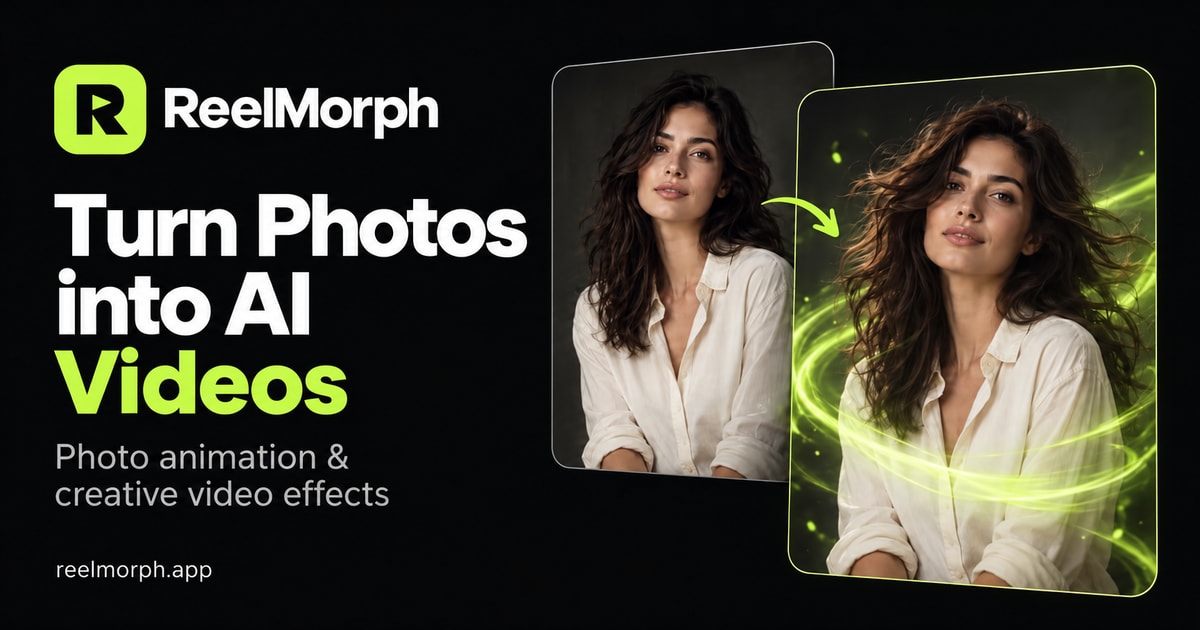
Turn a portrait, pet or travel photo into a moving scene. Add your own motion prompt or choose an AI video effect, then check the credit cost before you generate.
Uptown Funk AI Trend
Dima Dima Baby AI Trend
Burning Bridges AI Trend
Hotel Lobby AI Trend
PHOTO TO VIDEO AI GENERATOR
Use ReelMorph’s image to video AI to bring a still picture to life in your browser. Upload a photo, describe the action and camera movement, and choose a model and video format. Generation uses paid credits, with the cost shown before you start.
Upload a clear JPG, PNG or WebP up to 10 MB. Choose a portrait, pet or scene you have permission to animate, with the main subject clearly visible.
Describe the action and camera movement, then choose a model, duration and aspect ratio. For a prepared performance or story, open the matching AI video effect instead.
Check the credit cost and generate. Watch the finished clip, review faces and motion, then download it while the result link is available.
Turn one still image into a short moving story for pets, memories or products. These practical photo to video AI examples show how a focused motion prompt can preserve the subject while adding movement that fits social posts, keepsakes and product marketing.
Use pet photo to video AI to animate a favorite dog, cat or other companion from one clear image. Describe a small action such as a tail wag, head tilt or blink, and keep the fur, markings and background recognizable. It works well for social posts, birthday memories and personal keepsakes. Review the eyes, paws, ears and coat pattern before sharing.
An old photo to video workflow can add restrained movement to family portraits, wedding pictures and historical snapshots. Ask for a gentle blink, natural breathing or a slow camera push instead of complex motion. Start with a clear scan, then review faces, hands, clothing and period details so the animation does not rewrite the memory.
Use product image to video AI to turn a clean packshot into a short ecommerce, social ad or launch clip. Describe one camera move, light sweep or controlled product rotation, keep labels and packaging legible, and choose framing for the channel where you will publish. Check logos, text, geometry and color before using the result in a campaign.
Before sharing a photo to video AI result, watch it at normal speed and pause on faces, hands and important objects. Pick a vertical, landscape or square frame for where you plan to use it. Download the finished clip while its link is available, use music you have permission to share, and make clear that the scene was generated with AI.
Choose a prepared performance or story with its own example, photo guidance and scene direction, then remake it with your images.
Choose Seedance 2.0 or MiniMax H3 based on the motion, resolution and visual style you want for the clip.
Select supported resolutions from 480p and 720p to native 768P and 2K, with vertical, landscape or square framing.
Describe the subject's movement, camera behavior, mood and details to preserve instead of being limited to a preset scene.
Buy a one-time credit pack with no subscription. See the live credit cost for your model, resolution and duration before submitting.
When the system confirms that generation failed, the credits deducted for that attempt are returned automatically.
Choose a one-time credit pack for your next video. No subscription. See the exact credit cost before every generation.
A small start for your next idea.
Room to explore a few different directions.
Our best credit value for regular creators.
You'll be redirected to secure checkout. Credits are added after payment confirmation.
Both describe generating motion from a still image. Your photo supplies the starting scene, while a text prompt or preset effect guides the action. ReelMorph generates a short moving clip from that input. Faces, objects and backgrounds can change, so review the completed video before sharing.
Open the creator, sign in and upload one photo. Describe the movement you want, choose a model, duration, resolution and aspect ratio, then review the credit cost. Generate your clip, preview the result and download it. You can also choose a preset effect with its own photo instructions.
Describe one main action and one camera movement. For example: “The person smiles gently as the camera slowly moves closer; keep the background still.” Add the mood or lighting if it matters. The custom creator requires a prompt of up to 2,000 characters. Avoid several conflicting actions in one short clip.
Use a sharp image with a clearly visible subject and space around the face or body. Portraits, pets and travel scenes can provide starting points. Upload JPG, PNG or WebP files up to 10 MB each, and only use photos you have permission to animate. Heavy blur or covered faces can make results harder to control.
The custom generator starts from one image. Most prepared effects also use one photo; Hotel Lobby uses two separate photos to create a duet. Follow the upload order shown on each effect page. These photos guide one generated scene; the tool does not assemble a batch of photos into a slideshow.
Compare the movement you need, output resolution, clip length and quoted credit cost. ReelMorph offers Seedance 2.0 and MiniMax H3 for custom videos. Use a short clip to assess faces and motion before spending more credits on another generation. No model guarantees an exact likeness or perfect movement.
Seedance 2.0 supports 5–15 seconds at 480p or 720p, and MiniMax H3 supports 5–15 seconds at native 768P or 2K. Custom videos offer 9:16, 16:9 and 1:1. Preset effects have their own duration limits, shown on each page.
ReelMorph is a web app you can use in a phone or desktop browser. You do not need to install an editor. Sign in to upload photos, generate videos and access your recent work. Use the same account across devices to open your saved tasks, and download finished videos while their
Turn a portrait, pet or travel photo into a moving scene. Add your own motion prompt or choose an AI video effect, then check the credit cost before you generate.
Uptown Funk AI Trend
Dima Dima Baby AI Trend
Burning Bridges AI Trend
Hotel Lobby AI Trend
PHOTO TO VIDEO AI GENERATOR
Use ReelMorph’s image to video AI to bring a still picture to life in your browser. Upload a photo, describe the action and camera movement, and choose a model and video format. Generation uses paid credits, with the cost shown before you start.
Upload a clear JPG, PNG or WebP up to 10 MB. Choose a portrait, pet or scene you have permission to animate, with the main subject clearly visible.
Describe the action and camera movement, then choose a model, duration and aspect ratio. For a prepared performance or story, open the matching AI video effect instead.
Check the credit cost and generate. Watch the finished clip, review faces and motion, then download it while the result link is available.
Turn one still image into a short moving story for pets, memories or products. These practical photo to video AI examples show how a focused motion prompt can preserve the subject while adding movement that fits social posts, keepsakes and product marketing.
Use pet photo to video AI to animate a favorite dog, cat or other companion from one clear image. Describe a small action such as a tail wag, head tilt or blink, and keep the fur, markings and background recognizable. It works well for social posts, birthday memories and personal keepsakes. Review the eyes, paws, ears and coat pattern before sharing.
An old photo to video workflow can add restrained movement to family portraits, wedding pictures and historical snapshots. Ask for a gentle blink, natural breathing or a slow camera push instead of complex motion. Start with a clear scan, then review faces, hands, clothing and period details so the animation does not rewrite the memory.
Use product image to video AI to turn a clean packshot into a short ecommerce, social ad or launch clip. Describe one camera move, light sweep or controlled product rotation, keep labels and packaging legible, and choose framing for the channel where you will publish. Check logos, text, geometry and color before using the result in a campaign.
Before sharing a photo to video AI result, watch it at normal speed and pause on faces, hands and important objects. Pick a vertical, landscape or square frame for where you plan to use it. Download the finished clip while its link is available, use music you have permission to share, and make clear that the scene was generated with AI.
Choose a prepared performance or story with its own example, photo guidance and scene direction, then remake it with your images.
Choose Seedance 2.0 or MiniMax H3 based on the motion, resolution and visual style you want for the clip.
Select supported resolutions from 480p and 720p to native 768P and 2K, with vertical, landscape or square framing.
Describe the subject's movement, camera behavior, mood and details to preserve instead of being limited to a preset scene.
Buy a one-time credit pack with no subscription. See the live credit cost for your model, resolution and duration before submitting.
When the system confirms that generation failed, the credits deducted for that attempt are returned automatically.
Choose a one-time credit pack for your next video. No subscription. See the exact credit cost before every generation.
A small start for your next idea.
Room to explore a few different directions.
Our best credit value for regular creators.
You'll be redirected to secure checkout. Credits are added after payment confirmation.
Both describe generating motion from a still image. Your photo supplies the starting scene, while a text prompt or preset effect guides the action. ReelMorph generates a short moving clip from that input. Faces, objects and backgrounds can change, so review the completed video before sharing.
Open the creator, sign in and upload one photo. Describe the movement you want, choose a model, duration, resolution and aspect ratio, then review the credit cost. Generate your clip, preview the result and download it. You can also choose a preset effect with its own photo instructions.
Describe one main action and one camera movement. For example: “The person smiles gently as the camera slowly moves closer; keep the background still.” Add the mood or lighting if it matters. The custom creator requires a prompt of up to 2,000 characters. Avoid several conflicting actions in one short clip.
Use a sharp image with a clearly visible subject and space around the face or body. Portraits, pets and travel scenes can provide starting points. Upload JPG, PNG or WebP files up to 10 MB each, and only use photos you have permission to animate. Heavy blur or covered faces can make results harder to control.
The custom generator starts from one image. Most prepared effects also use one photo; Hotel Lobby uses two separate photos to create a duet. Follow the upload order shown on each effect page. These photos guide one generated scene; the tool does not assemble a batch of photos into a slideshow.
Compare the movement you need, output resolution, clip length and quoted credit cost. ReelMorph offers Seedance 2.0 and MiniMax H3 for custom videos. Use a short clip to assess faces and motion before spending more credits on another generation. No model guarantees an exact likeness or perfect movement.
Seedance 2.0 supports 5–15 seconds at 480p or 720p, and MiniMax H3 supports 5–15 seconds at native 768P or 2K. Custom videos offer 9:16, 16:9 and 1:1. Preset effects have their own duration limits, shown on each page.
ReelMorph is a web app you can use in a phone or desktop browser. You do not need to install an editor. Sign in to upload photos, generate videos and access your recent work. Use the same account across devices to open your saved tasks, and download finished videos while their
本页为82搜索生成的网页快照,内容来自站内索引;演示数据的原文链接仅作示例。