网页
综合
更新时间 2026-11-13 18:41:17
Car Wrap Designer Online | Free Editor & 3D Preview
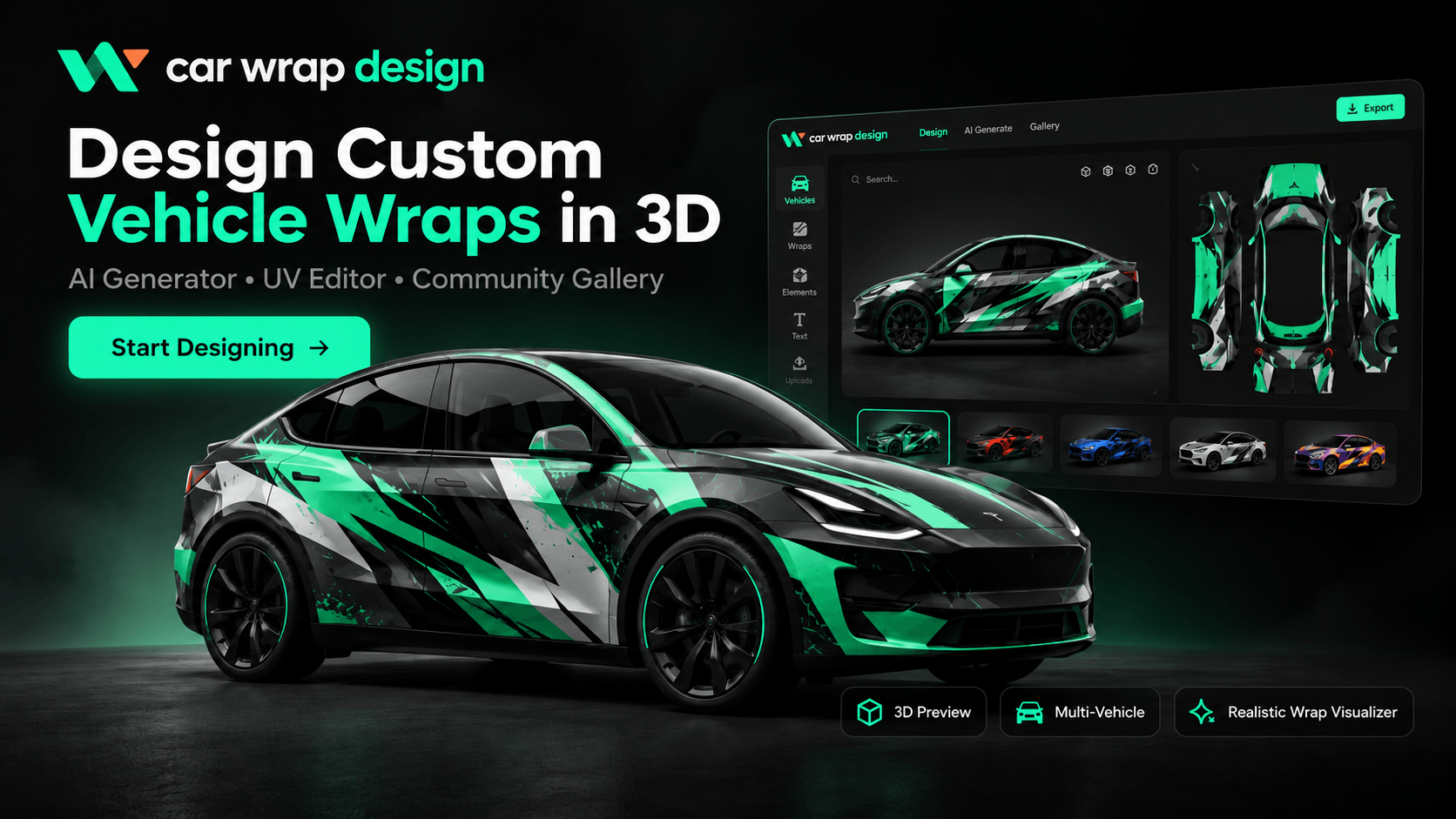
Turn your car wrap design ideas into a look you can preview in 3D. Choose a vehicle, create with the free browser editor, or explore a new direction with AI credits.
Browse real designs shared in the community gallery and compare the complete artwork with its vehicle preview. Look at how colors, patterns and empty space work together before choosing a direction. Each example belongs to a specific vehicle template; use it for inspiration and check the fit on your selected model.
Model Y Premium · 2025
Start with a blank canvas in the browser editor and combine a base color, uploaded images, text and shapes. The layers you create manually can be selected, moved, resized and arranged separately. Keep a business name or logo on its own layer when positioning matters. An AI-generated picture can be used as artwork, but its internal text and graphics do not become separate editable objects.
This is a static editor example. Open the designer to compose your own layers and rotate the vehicle preview.
Choose an available model, year and trim before creating the artwork. The vehicle selection determines the body shape and matching flat template used by the editor. Similar model names do not guarantee the same panel layout. If your vehicle is not listed, explore ideas on an available model, but wait for the correct template before treating the layout as a fit for your own car.
Build your car wrap design manually with images, lettering and shapes, or use a prompt and optional reference image to generate a concept with AI credits. Describe the palette, pattern and mood you want. Choose from gloss, satin, matte, metallic and pearlescent finishes for the preview. For exact wording and logo placement, add your own text or image layers in the editor.
Rotate the vehicle and inspect the front, sides and rear. Check whether a line disappears around a wheel arch, a graphic breaks at a door, or important wording is difficult to read. Adjust the layers you created yourself, or change the prompt and generate another AI image. Download the texture when you are ready; sign in to save a project or publish your work to the gallery.
Move between inspiration, a flat artwork canvas and the 3D vehicle view without installing desktop software. Use the editor for precise work on your own layers and the AI generator for exploring visual directions. Both workflows help you compare ideas before spending time on a final layout.
The 3D preview lets you examine your car wrap design from different angles instead of judging only a flat image. See how the selected template maps artwork onto the body, and look for awkward transitions near panel edges. It is a visual aid for choosing a direction, with no automatic fit or installation approval.
Describe a palette, an illustration style or the feeling you want the car to have. Add a reference image when it helps explain the idea. Generation uses credits and produces a single image, so changing a particular embedded graphic requires a new result or work on the image outside this editor.
Add your own lettering, image assets and shapes to the canvas. Select each manual layer to change its position, size and arrangement while checking the preview. An uploaded logo remains one image layer; the editor moves or scales the image as a whole rather than editing individual marks inside it.
View the same artwork with gloss, satin, matte, metallic or pearlescent appearance. Reflections can change how light and dark areas read, so compare a few finishes before settling on a look. The preview illustrates the effect; it does not identify a specific vinyl product or predict the exact printed color.
Open a gallery design to inspect the full texture and vehicle preview. Use a suitable example as a starting point and add your own layers for a variation. Existing flattened artwork stays a single image. Check the original creator’s terms before reuse, especially if your project is for a business.
Download your artwork as a square PNG texture from the editor, and use the vehicle viewer to capture a preview. A saved image is useful for comparing concepts or explaining a direction to a wrap shop. It is not a measured installation pattern or a complete print production package.
Start your car wrap design with a vehicle that has an available 3D model and matching template. The current library includes Tesla Model 3, Model Y, Cybertruck, Model S and Model X configurations. More brands are planned; the cards below show what is available now. Choose the version that matches your car, or visit a model guide to compare the supported options.
Practical answers about starting for free, choosing an online workflow, working with AI images and taking a concept to a professional wrap shop.
Yes. The browser editor and 3D preview are free to use for composing a car wrap design with your own layers. AI image generation is a separate credit-based feature, so “free” does not mean unlimited AI results. You can explore the editor before purchasing credits. Follow the sign-in prompts when uploading assets, saving a project or publishing a design.
For an online concept, this studio provides a flat canvas, editable manual layers and a matching 3D vehicle preview in your browser. You do not need to install a desktop design application to begin. A wrap shop may use additional illustration, layout and production software to prepare physical film. The right workflow depends on whether you need an idea to compare or measured artwork for installation.
Choose a supported vehicle and start with a palette or a few gallery references. Build the layout with your own text, images and shapes, or generate an AI concept from a prompt. Keep important lettering on a manual text layer. Check the result from several angles, then download the texture. For a physical wrap, ask an installer to confirm measurements and prepare the artwork for printing.
Open the designer from this page to work in the browser. The gallery is useful when you are still choo
Browse real designs shared in the community gallery and compare the complete artwork with its vehicle preview. Look at how colors, patterns and empty space work together before choosing a direction. Each example belongs to a specific vehicle template; use it for inspiration and check the fit on your selected model.
Model Y Premium · 2025
Start with a blank canvas in the browser editor and combine a base color, uploaded images, text and shapes. The layers you create manually can be selected, moved, resized and arranged separately. Keep a business name or logo on its own layer when positioning matters. An AI-generated picture can be used as artwork, but its internal text and graphics do not become separate editable objects.
This is a static editor example. Open the designer to compose your own layers and rotate the vehicle preview.
Choose an available model, year and trim before creating the artwork. The vehicle selection determines the body shape and matching flat template used by the editor. Similar model names do not guarantee the same panel layout. If your vehicle is not listed, explore ideas on an available model, but wait for the correct template before treating the layout as a fit for your own car.
Build your car wrap design manually with images, lettering and shapes, or use a prompt and optional reference image to generate a concept with AI credits. Describe the palette, pattern and mood you want. Choose from gloss, satin, matte, metallic and pearlescent finishes for the preview. For exact wording and logo placement, add your own text or image layers in the editor.
Rotate the vehicle and inspect the front, sides and rear. Check whether a line disappears around a wheel arch, a graphic breaks at a door, or important wording is difficult to read. Adjust the layers you created yourself, or change the prompt and generate another AI image. Download the texture when you are ready; sign in to save a project or publish your work to the gallery.
Move between inspiration, a flat artwork canvas and the 3D vehicle view without installing desktop software. Use the editor for precise work on your own layers and the AI generator for exploring visual directions. Both workflows help you compare ideas before spending time on a final layout.
The 3D preview lets you examine your car wrap design from different angles instead of judging only a flat image. See how the selected template maps artwork onto the body, and look for awkward transitions near panel edges. It is a visual aid for choosing a direction, with no automatic fit or installation approval.
Describe a palette, an illustration style or the feeling you want the car to have. Add a reference image when it helps explain the idea. Generation uses credits and produces a single image, so changing a particular embedded graphic requires a new result or work on the image outside this editor.
Add your own lettering, image assets and shapes to the canvas. Select each manual layer to change its position, size and arrangement while checking the preview. An uploaded logo remains one image layer; the editor moves or scales the image as a whole rather than editing individual marks inside it.
View the same artwork with gloss, satin, matte, metallic or pearlescent appearance. Reflections can change how light and dark areas read, so compare a few finishes before settling on a look. The preview illustrates the effect; it does not identify a specific vinyl product or predict the exact printed color.
Open a gallery design to inspect the full texture and vehicle preview. Use a suitable example as a starting point and add your own layers for a variation. Existing flattened artwork stays a single image. Check the original creator’s terms before reuse, especially if your project is for a business.
Download your artwork as a square PNG texture from the editor, and use the vehicle viewer to capture a preview. A saved image is useful for comparing concepts or explaining a direction to a wrap shop. It is not a measured installation pattern or a complete print production package.
Start your car wrap design with a vehicle that has an available 3D model and matching template. The current library includes Tesla Model 3, Model Y, Cybertruck, Model S and Model X configurations. More brands are planned; the cards below show what is available now. Choose the version that matches your car, or visit a model guide to compare the supported options.
Practical answers about starting for free, choosing an online workflow, working with AI images and taking a concept to a professional wrap shop.
Yes. The browser editor and 3D preview are free to use for composing a car wrap design with your own layers. AI image generation is a separate credit-based feature, so “free” does not mean unlimited AI results. You can explore the editor before purchasing credits. Follow the sign-in prompts when uploading assets, saving a project or publishing a design.
For an online concept, this studio provides a flat canvas, editable manual layers and a matching 3D vehicle preview in your browser. You do not need to install a desktop design application to begin. A wrap shop may use additional illustration, layout and production software to prepare physical film. The right workflow depends on whether you need an idea to compare or measured artwork for installation.
Choose a supported vehicle and start with a palette or a few gallery references. Build the layout with your own text, images and shapes, or generate an AI concept from a prompt. Keep important lettering on a manual text layer. Check the result from several angles, then download the texture. For a physical wrap, ask an installer to confirm measurements and prepare the artwork for printing.
Open the designer from this page to work in the browser. The gallery is useful when you are still choo
本页为82搜索生成的网页快照,内容来自站内索引;演示数据的原文链接仅作示例。