网页
综合
更新时间 2026-11-13 17:22:17
Compared with other sandboxes — isx
"Sandbox" names three different things, and the right one depends on what you need. This page says what each kind is, where isx sits, and for each of the other tools when it is the better fit.
isx is the third kind, a sandboxed workstation.
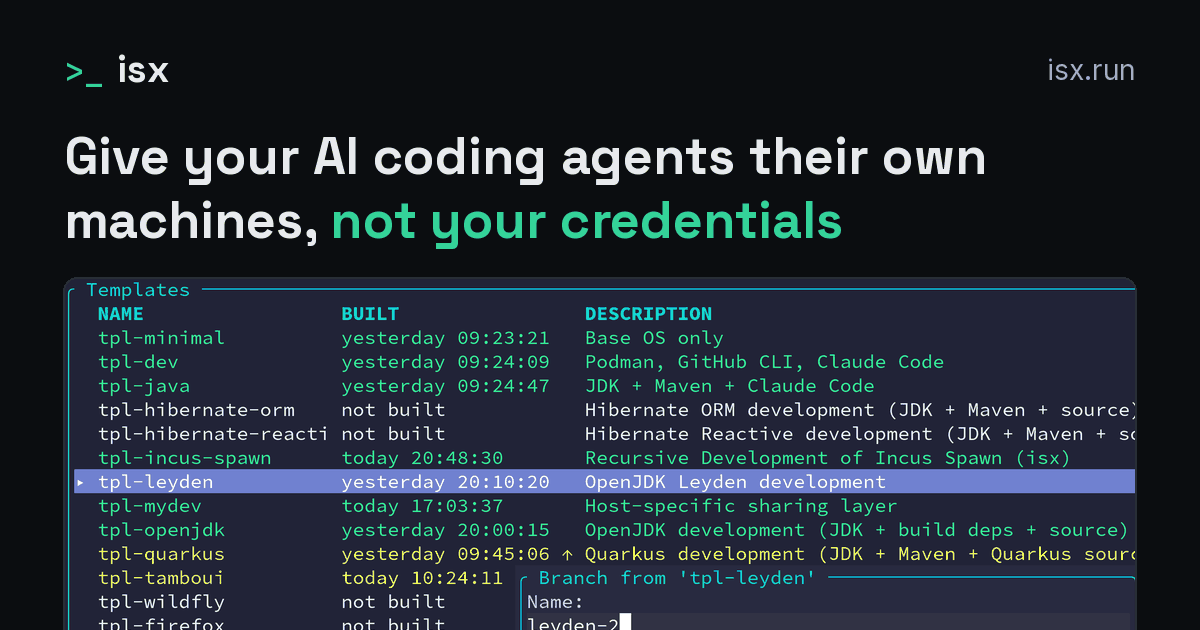
An instance is a branch of a template, in the way a git worktree is a branch of a repository. It is a second working copy that shares the files it has not changed and uses disk space only for the files it changes. Here the working copy is the whole system, toolchain, dependencies and services included.
This sharing is what makes it cheap to create one instance per task and throw it away afterwards. A template declares the tools and the repositories, and is built once: the projects are cloned, their dependencies fetched and their build caches filled. Every branch of it starts ready to work, and every branch is the same.
In daily use, one command gives you a new workstation: isx branch creates an instance instantly. isx shell or the TUI opens a shell in it, your editor attaches over SSH, an isx:// git remote fetches the agent's work, and isx destroy deletes it.
An isx instance is a complete system, because it is built for a different job than an application container.
An application container, the kind Docker and Podman run by default, is built for shipping applications: a minimal filesystem, one process, fast startup.
An isx instance is a workstation: a full Incus system container, or a KVM virtual machine with --vm. It has its own init system and real networking. Tools such as ping, strace and nested Podman or Docker work in it as on a workstation. On Linux it can also pass through GUI and audio.
The template pre-installs your baseline tools and repositories, but what the agent gets is a real Linux system. The agent can dnf install, pip install, build from source or run Docker Compose, just as on a workstation.
This matters for agents in particular: what you hand an agent is an investigation, and nobody knows at the start what tools it will need. An agent on an isx branch installs a tracer, starts a service or writes a tool of its own when the investigation needs it.
The agent works as it would on a developer workstation, because the instance is one. If it wrecks the instance, you destroy it and branch again: the new branch is instant and starts from the clean template.
For the strongest isolation, a KVM virtual machine (--vm) adds a separate kernel and hardware-level separation. The sections below compare this choice with the other sandboxes for agents.
The agent is an ordinary process in your operating system, running as your user, confined to the files, hosts and operations you allow. The confinement is Landlock or bubblewrap on Linux and Seatbelt on macOS, plus a local proxy for the allowed hosts.
There is nothing to install and nothing to boot, and the agent works with the tools and files that are already on your host. Codex's built-in sandbox works this way too.
nono is a sandboxed process with a profile per agent and a broker that keeps credentials out of the agent's process.
sandbox-runtime is the implementation behind Claude Code's /sandbox.
Where isx differs. What a sandboxed process can reach is fixed before it starts: the paths and hosts in the profile, the tools already on your host. Landlock rules can be tightened after launch, never loosened.
So an agent that needs one more path, a package or a running service has to be stopped, given a wider profile and started again. The package still has to be installed on your host.
In an isx branch the agent can change its whole system. It installs tools, writes its own, starts services and runs containers when the task needs them, and none of this changes your host.
isx asks for more setup once, isx init and a template build. After that one command creates a branch instantly, with the project and its dependencies already in it, and with a shell, an editor and a git remote already attached.
nono and isx also answer "what if a tool is compromised" differently.
Use a sandboxed process when the agent edits your working tree with the tools you already have. Use isx when the agent has to find out what it needs while it works.
The agent runs in an application container with a fixed set of tools. It may be allowed to add a package, but it cannot reshape the environment the way it could on a real system: there is no init system, so no services, and privileges are reduced.
OpenShell is a governed workload with the same credential model as isx and a finer policy for outgoing connections.
Where isx differs. isx hands the agent a workstation, because the tools an investigation needs are unknown at the start. What that looks like in practice:
None of these is possible in OpenShell:
In isx the agent has root on a system with systemd, nested containers, debuggers and a real NIC. If it wrecks the instance, you destroy the branch and the next one is instant.
Pick OpenShell to run an agent as a governed workload in a fleet; pick isx when the agent has to install, trace and run whatever the investigation needs.
A dev container is a Docker container managed by an editor, with the project directory bind-mounted read-write and the agent installed in the image.
Where isx differs. A dev container is an application container: no init system, so no services; capabilities dropped, so nested containers and tracing need privileged flags; and the workspace the agent writes is your host's directory.
You also keep the container and rebuild it from the Dockerfile, rather than discarding it after the task.
Claude Code's own docs note that the credentials live inside it, in ~/.claude, where an unattended session can read them. In isx the real credentials stay on your host, and a proxy there adds them to the agent's requests as the requests leave the instance.
Pick a dev container to give a team one environment with the editor attached; pick isx when the agent should reshape its environment freely and its edits should not change your
isx is the third kind, a sandboxed workstation.
An instance is a branch of a template, in the way a git worktree is a branch of a repository. It is a second working copy that shares the files it has not changed and uses disk space only for the files it changes. Here the working copy is the whole system, toolchain, dependencies and services included.
This sharing is what makes it cheap to create one instance per task and throw it away afterwards. A template declares the tools and the repositories, and is built once: the projects are cloned, their dependencies fetched and their build caches filled. Every branch of it starts ready to work, and every branch is the same.
In daily use, one command gives you a new workstation: isx branch creates an instance instantly. isx shell or the TUI opens a shell in it, your editor attaches over SSH, an isx:// git remote fetches the agent's work, and isx destroy deletes it.
An isx instance is a complete system, because it is built for a different job than an application container.
An application container, the kind Docker and Podman run by default, is built for shipping applications: a minimal filesystem, one process, fast startup.
An isx instance is a workstation: a full Incus system container, or a KVM virtual machine with --vm. It has its own init system and real networking. Tools such as ping, strace and nested Podman or Docker work in it as on a workstation. On Linux it can also pass through GUI and audio.
The template pre-installs your baseline tools and repositories, but what the agent gets is a real Linux system. The agent can dnf install, pip install, build from source or run Docker Compose, just as on a workstation.
This matters for agents in particular: what you hand an agent is an investigation, and nobody knows at the start what tools it will need. An agent on an isx branch installs a tracer, starts a service or writes a tool of its own when the investigation needs it.
The agent works as it would on a developer workstation, because the instance is one. If it wrecks the instance, you destroy it and branch again: the new branch is instant and starts from the clean template.
For the strongest isolation, a KVM virtual machine (--vm) adds a separate kernel and hardware-level separation. The sections below compare this choice with the other sandboxes for agents.
The agent is an ordinary process in your operating system, running as your user, confined to the files, hosts and operations you allow. The confinement is Landlock or bubblewrap on Linux and Seatbelt on macOS, plus a local proxy for the allowed hosts.
There is nothing to install and nothing to boot, and the agent works with the tools and files that are already on your host. Codex's built-in sandbox works this way too.
nono is a sandboxed process with a profile per agent and a broker that keeps credentials out of the agent's process.
sandbox-runtime is the implementation behind Claude Code's /sandbox.
Where isx differs. What a sandboxed process can reach is fixed before it starts: the paths and hosts in the profile, the tools already on your host. Landlock rules can be tightened after launch, never loosened.
So an agent that needs one more path, a package or a running service has to be stopped, given a wider profile and started again. The package still has to be installed on your host.
In an isx branch the agent can change its whole system. It installs tools, writes its own, starts services and runs containers when the task needs them, and none of this changes your host.
isx asks for more setup once, isx init and a template build. After that one command creates a branch instantly, with the project and its dependencies already in it, and with a shell, an editor and a git remote already attached.
nono and isx also answer "what if a tool is compromised" differently.
Use a sandboxed process when the agent edits your working tree with the tools you already have. Use isx when the agent has to find out what it needs while it works.
The agent runs in an application container with a fixed set of tools. It may be allowed to add a package, but it cannot reshape the environment the way it could on a real system: there is no init system, so no services, and privileges are reduced.
OpenShell is a governed workload with the same credential model as isx and a finer policy for outgoing connections.
Where isx differs. isx hands the agent a workstation, because the tools an investigation needs are unknown at the start. What that looks like in practice:
None of these is possible in OpenShell:
In isx the agent has root on a system with systemd, nested containers, debuggers and a real NIC. If it wrecks the instance, you destroy the branch and the next one is instant.
Pick OpenShell to run an agent as a governed workload in a fleet; pick isx when the agent has to install, trace and run whatever the investigation needs.
A dev container is a Docker container managed by an editor, with the project directory bind-mounted read-write and the agent installed in the image.
Where isx differs. A dev container is an application container: no init system, so no services; capabilities dropped, so nested containers and tracing need privileged flags; and the workspace the agent writes is your host's directory.
You also keep the container and rebuild it from the Dockerfile, rather than discarding it after the task.
Claude Code's own docs note that the credentials live inside it, in ~/.claude, where an unattended session can read them. In isx the real credentials stay on your host, and a proxy there adds them to the agent's requests as the requests leave the instance.
Pick a dev container to give a team one environment with the editor attached; pick isx when the agent should reshape its environment freely and its edits should not change your
本页为82搜索生成的网页快照,内容来自站内索引;演示数据的原文链接仅作示例。