网页
综合
更新时间 2026-11-13 17:22:16
Install with your agent — isx
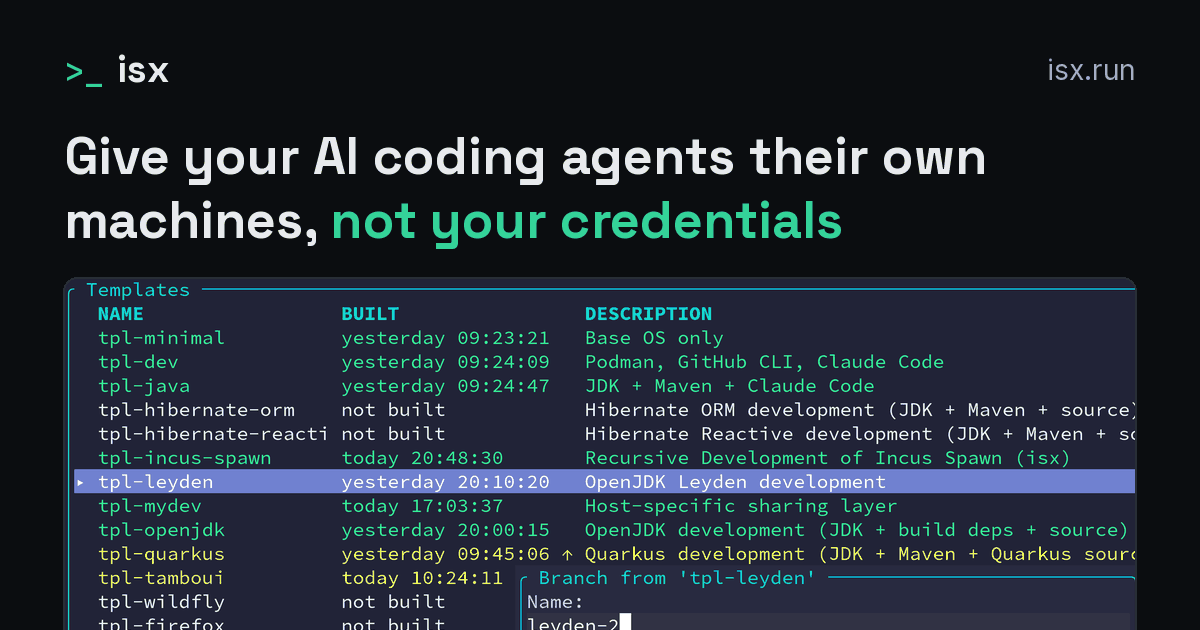
Your coding agent can install isx and set it up for you, from one prompt. It does the work, and you keep three steps: running commands as root, adding credentials, and choosing which templates agents may use. The Quick Start is the same install by hand.
Paste this into the coding agent you use on your computer. The prompt is the same for every agent: the agent puts itself in your first template (Agents). It has been tested on a clean host with these agents: Claude Code, Codex CLI, Pi.
The agent stops and hands over to you at three points:
It also asks you which agent to put in your first template when it cannot tell which agent it is, or isx has no tool for it.
isx mcp setup offers every template with a coding agent in it. An agent can create instances from a template you approve and run commands in them. It can hand a task only to Claude Code, Codex or Pi, so a template with another agent is marked create and exec only.
On macOS no step needs root, so the first handover does not happen. A fresh Linux host usually needs the root script once.
On Linux the root script adds you to the incus-admin group, which an agent that is already running gets only when you start it again from a new login. Until then it runs isx commands through sg incus-admin, and isx mcp register registers isx's MCP server through sg incus-admin too.
On a host without sg, the agent can use isx over MCP only once you start it again from a new login.
An agent with a shell on your computer can already do whatever you can, and isx cannot change that. What isx can change is what the install asks of the agent. It never needs your password, a credential or your approval to finish its part, so you never have a reason to hand one over.
Each handover keeps one thing in your hands:
You give up a fully unattended install: the agent waits for you up to three times. In return, you read every root command before it runs, and you alone decide which accounts and templates the agents get.
The agent reads llms.txt, which points it at these docs, then:
When the agent first runs init, no template needs a credential yet, so init does not report one as missing.
isx init --plan and the summary of isx init --format=json say for each step who must finish it: none, sudo, secret or approval (isx init). An agent may do the steps marked none, and hands you the others.
isx's root script records what it ran, so the second run and isx init --plan know those steps are done. A script the agent writes itself from the plan does not, so ask it to run isx init --no-sudo and hand you that script instead.
Open the first instance with isx shell my-first, or isx for the interactive view of your templates and instances. The agent on your computer can now create instances from the templates you approved, run commands in them, and hand them whole tasks (MCP).
On Linux, if isx refuses the agent's MCP calls right after the install, with "permission denied" on the Incus socket, restart your agent from a new login. Logging out and back in also works. The agent then has the incus-admin group the root script added.
The recommended place for an agent that coordinates other instances is an instance of its own, where it holds no credentials of yours. A coordinator in an instance takes four more commands, starting from the tpl-agent template of the Quick Start. The agent can write and build the coordinator's template, and you run isx mcp setup and open the coordinator.
Built on Incus, Quarkus, Tamboui, and GraalVM
Paste this into the coding agent you use on your computer. The prompt is the same for every agent: the agent puts itself in your first template (Agents). It has been tested on a clean host with these agents: Claude Code, Codex CLI, Pi.
The agent stops and hands over to you at three points:
It also asks you which agent to put in your first template when it cannot tell which agent it is, or isx has no tool for it.
isx mcp setup offers every template with a coding agent in it. An agent can create instances from a template you approve and run commands in them. It can hand a task only to Claude Code, Codex or Pi, so a template with another agent is marked create and exec only.
On macOS no step needs root, so the first handover does not happen. A fresh Linux host usually needs the root script once.
On Linux the root script adds you to the incus-admin group, which an agent that is already running gets only when you start it again from a new login. Until then it runs isx commands through sg incus-admin, and isx mcp register registers isx's MCP server through sg incus-admin too.
On a host without sg, the agent can use isx over MCP only once you start it again from a new login.
An agent with a shell on your computer can already do whatever you can, and isx cannot change that. What isx can change is what the install asks of the agent. It never needs your password, a credential or your approval to finish its part, so you never have a reason to hand one over.
Each handover keeps one thing in your hands:
You give up a fully unattended install: the agent waits for you up to three times. In return, you read every root command before it runs, and you alone decide which accounts and templates the agents get.
The agent reads llms.txt, which points it at these docs, then:
When the agent first runs init, no template needs a credential yet, so init does not report one as missing.
isx init --plan and the summary of isx init --format=json say for each step who must finish it: none, sudo, secret or approval (isx init). An agent may do the steps marked none, and hands you the others.
isx's root script records what it ran, so the second run and isx init --plan know those steps are done. A script the agent writes itself from the plan does not, so ask it to run isx init --no-sudo and hand you that script instead.
Open the first instance with isx shell my-first, or isx for the interactive view of your templates and instances. The agent on your computer can now create instances from the templates you approved, run commands in them, and hand them whole tasks (MCP).
On Linux, if isx refuses the agent's MCP calls right after the install, with "permission denied" on the Incus socket, restart your agent from a new login. Logging out and back in also works. The agent then has the incus-admin group the root script added.
The recommended place for an agent that coordinates other instances is an instance of its own, where it holds no credentials of yours. A coordinator in an instance takes four more commands, starting from the tpl-agent template of the Quick Start. The agent can write and build the coordinator's template, and you run isx mcp setup and open the coordinator.
Built on Incus, Quarkus, Tamboui, and GraalVM
本页为82搜索生成的网页快照,内容来自站内索引;演示数据的原文链接仅作示例。