网页
综合
更新时间 2026-11-13 15:41:22
Migrate from Laravel Forge to Laravel Cloud | Laravel - The clean stack for Artisans and agents
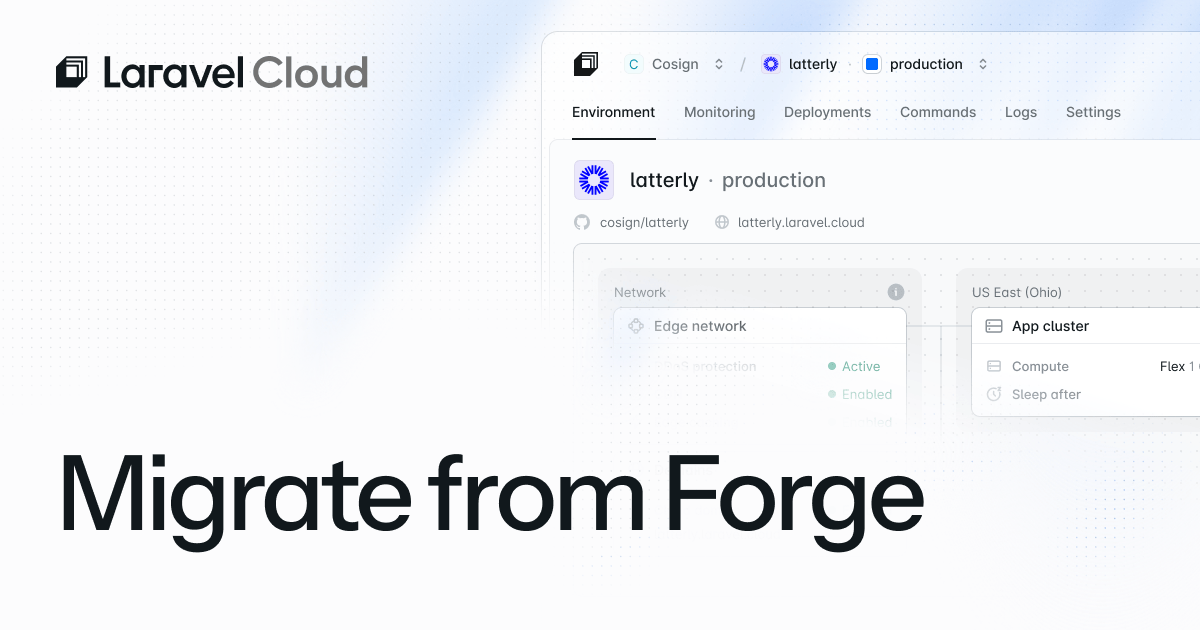
Forge gives you server control, but as you scale, that control eats your time. With Laravel Cloud, you don’t need to touch infrastructure, from autoscaling and managed queues to WebSockets and more. Here's how to migrate.
No more server management: No SSH, no Nginx config, no security patches, no worrying about server sizing at 2 a.m.
Autoscale and scale to zero: Unlike Forge's fixed-capacity servers, Laravel Cloud provisions replicas that scale up under load and down to zero when traffic drops. With scale to zero, your entire stack scales with it—database, cache, and compute—so you never pay for idle resources.
Laravel Valkey, WAF and DDoS protection, and WebSockets ship built in: there's nothing extra to add on or spin up yourself.
Managed queues: Background processes are replaced by queue workers that scale with demand and cost nothing when idle.
Even as a new Cloud user, it was easier and faster for me to set up apps on Cloud than it was on Forge, even though I'm a long-time Forge user.”
Filament's Co-Creator
Create your account and set up your organization. Have questions? Check our Laravel Cloud Quickstart documentation.
Create the resources your application needs.
If your Laravel Forge application stores files on the server's local disk, you'll also need to migrate that content to Cloud's object storage. The easiest way is to copy the files off your Forge server first, then upload them to your new bucket using one of these methods:
If you were already using S3 on Forge, you don't need to move your files. Just update your environment variables to point to the new bucket.
Unlike Laravel Vapor or Heroku, your database runs on a server you control. There are two ways to export it.
Then run mysqldump or pg_dump on the server and download the dump file.
If remote database access is enabled on your Laravel Forge server, run the export commands below from your local machine, pointing to your Forge server's IP address.
To find your credentials: Check the .env file on your Forge server, or go to the Forge dashboard and look under your site's environment variables panel.
With your new Cloud database provisioned and public endpoint enabled:
Before switching DNS:
Once verified, point your domain to Laravel Cloud:
After migration is complete and stable:
Forge setup: Web + database + Redis on one server
Laravel Cloud setup: MySQL/Postgres + Valkey + managed queues
Estimated migration time: 30-60 minutes
Forge setup: Separate web/database servers
Laravel Cloud setup: Postgres + Valkey
Estimated migration time: 20-40 minutes
Forge setup: Separate staging + production servers
Laravel Cloud setup: Environments in the same Cloud application
Estimated migration time: 45-90 minutes per environment
Forge setup: Multiple Forge sites
Laravel Cloud setup: Separate Cloud applications
Estimated migration time: Varies
When moving from Laravel Forge to Cloud, almost nothing changes:
Before migrating production:
After a successful migration:
Migrating from Forge to Laravel Cloud gives you a cleaner workflow, fully managed infrastructure, and a platform that grows with your application.With autoscaling, managed queues, hibernation, and production-grade security all built in, most applications can be migrated in under an hour. Everything you left behind was overhead, not code.Sign up for Laravel Cloud or contact support for a complex migration.
Why migrate from Forge to Laravel Cloud?
Check Cloud's Quickstart documentation
Contact support for complex migrations
Laravel Cloud brings more peace of mind than Forge. When I'm considering what infrastructure decisions I'm making, I'm trying to make safe bets, and Cloud felt like a safer bet.”
Filament's Co-Creator
No more server management: No SSH, no Nginx config, no security patches, no worrying about server sizing at 2 a.m.
Autoscale and scale to zero: Unlike Forge's fixed-capacity servers, Laravel Cloud provisions replicas that scale up under load and down to zero when traffic drops. With scale to zero, your entire stack scales with it—database, cache, and compute—so you never pay for idle resources.
Laravel Valkey, WAF and DDoS protection, and WebSockets ship built in: there's nothing extra to add on or spin up yourself.
Managed queues: Background processes are replaced by queue workers that scale with demand and cost nothing when idle.
Even as a new Cloud user, it was easier and faster for me to set up apps on Cloud than it was on Forge, even though I'm a long-time Forge user.”
Filament's Co-Creator
Create your account and set up your organization. Have questions? Check our Laravel Cloud Quickstart documentation.
Create the resources your application needs.
If your Laravel Forge application stores files on the server's local disk, you'll also need to migrate that content to Cloud's object storage. The easiest way is to copy the files off your Forge server first, then upload them to your new bucket using one of these methods:
If you were already using S3 on Forge, you don't need to move your files. Just update your environment variables to point to the new bucket.
Unlike Laravel Vapor or Heroku, your database runs on a server you control. There are two ways to export it.
Then run mysqldump or pg_dump on the server and download the dump file.
If remote database access is enabled on your Laravel Forge server, run the export commands below from your local machine, pointing to your Forge server's IP address.
To find your credentials: Check the .env file on your Forge server, or go to the Forge dashboard and look under your site's environment variables panel.
With your new Cloud database provisioned and public endpoint enabled:
Before switching DNS:
Once verified, point your domain to Laravel Cloud:
After migration is complete and stable:
Forge setup: Web + database + Redis on one server
Laravel Cloud setup: MySQL/Postgres + Valkey + managed queues
Estimated migration time: 30-60 minutes
Forge setup: Separate web/database servers
Laravel Cloud setup: Postgres + Valkey
Estimated migration time: 20-40 minutes
Forge setup: Separate staging + production servers
Laravel Cloud setup: Environments in the same Cloud application
Estimated migration time: 45-90 minutes per environment
Forge setup: Multiple Forge sites
Laravel Cloud setup: Separate Cloud applications
Estimated migration time: Varies
When moving from Laravel Forge to Cloud, almost nothing changes:
Before migrating production:
After a successful migration:
Migrating from Forge to Laravel Cloud gives you a cleaner workflow, fully managed infrastructure, and a platform that grows with your application.With autoscaling, managed queues, hibernation, and production-grade security all built in, most applications can be migrated in under an hour. Everything you left behind was overhead, not code.Sign up for Laravel Cloud or contact support for a complex migration.
Why migrate from Forge to Laravel Cloud?
Check Cloud's Quickstart documentation
Contact support for complex migrations
Laravel Cloud brings more peace of mind than Forge. When I'm considering what infrastructure decisions I'm making, I'm trying to make safe bets, and Cloud felt like a safer bet.”
Filament's Co-Creator
本页为82搜索生成的网页快照,内容来自站内索引;演示数据的原文链接仅作示例。