网页
综合
更新时间 2026-11-14 11:35:28
Free Online Image Tools — tools.faxianai.com
The image tools you reach for most, ready the moment the page loads. Files never leave your device — the result downloads straight from the browser.
Every operation runs locally in this browser.
Batch-write Amazon's contains-synthetic-performer compliance tag into the XMP & IPTC metadata of your AI people images — locally, no upload.
The everyday jobs: shrink, convert, resize, cut.
Make JPG, PNG and WebP files smaller without a noticeable drop in quality — right in your browser.
One upload, six optional steps, hundreds of images in one pass, one ZIP out. No upload, no queue, no site watermark.
Change image formats between PNG, JPG, WebP and AVIF — locally and in batches.
Scale images to an exact width and height, or by percentage — with aspect ratio locked if you want.
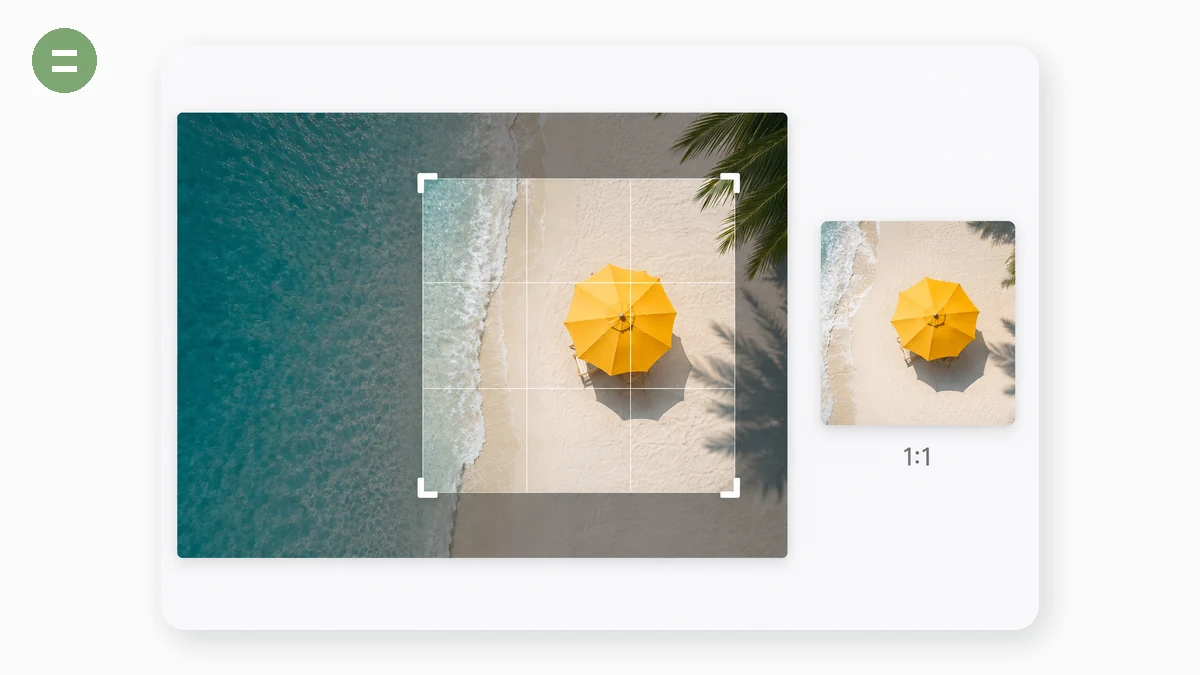
Trim a photo with a draggable box — free-form or locked to common ratios like 1:1 and 16:9.
Turn photos by 90° steps or any free angle, and mirror them horizontally or vertically.
Stamp a text watermark across your images — tiled or in a corner — with full control and no upload.
Turn one or many images into a single PDF — set page size, orientation and order.
Combine several photos into one image — stacked, side by side, or in a grid.
Level a crooked horizon with a fine-angle slider — auto-cropped so no white wedges remain.
Built for product listings and store pages.
One set of product photos → correctly sized, white-background images for every marketplace, in one ZIP.
AI cuts the subject out of your photo — transparent or white background — without the image ever leaving your device.
Slice a tall image into equal parts or fixed-height sections — with cut lines previewed before you commit.
Turn one photo into 9 (or 4, or 6) tiles that reassemble into the full picture on your profile grid.
Paste a product URL, get Lighthouse scores, image-weight diagnostics and an e-commerce best-practice checklist.
Batch-write Amazon's contains-synthetic-performer compliance tag into the XMP & IPTC metadata of your AI people images — locally, no upload.
Fit any photo to your screen, or make one from text.
Turn any photo into a wallpaper sized exactly for your screen — iPhone, Android, 4K desktop, ultrawide, tablet or watch.
Type a quote, pick a gradient, and download a clean text wallpaper sized for your phone, desktop or watch.
Handy extras for designers and site owners.
Reveal the hidden metadata in a photo — and strip it out before you share.
One logo in — a complete, ready-to-deploy favicon package out.
Get the dominant colors of any image as ready-to-copy hex codes.
Type a headline, pick a gradient, download a pixel-perfect social cover — no design app needed.
Paste an article → extract its styled blocks → swap images, recolor, and copy inline HTML you can reuse anywhere. Everything stays in your browser.
Turn a link, Wi-Fi login, email or phone number into a QR code — with your own colours, exported as PNG or SVG.
Read the content of a QR code from a saved screenshot or photo — decoded locally, nothing uploaded.
Create retail and logistics barcodes — CODE128, EAN-13, UPC and more — and export as PNG or SVG.
Add classic top and bottom captions to any image — Impact style, no watermark, no upload.
Combine multiple PDFs into a single document — reorder them first, all in your browser.
Crop a photo into a clean circle or rounded square with a transparent background — ready for avatars.
Hide faces, plates, names or numbers — drag a box and pixelate, blur or black it out. Fully local.
Give a photo a look in one click — then fine-tune brightness, contrast, saturation and hue.
Hover to preview, click to grab a colour from any image — copy it as HEX, RGB or HSL.
Turn a plain screenshot into a polished image — gradient backdrop, padding, rounded corners, soft shadow.
Every operation runs locally in this browser.
Batch-write Amazon's contains-synthetic-performer compliance tag into the XMP & IPTC metadata of your AI people images — locally, no upload.
The everyday jobs: shrink, convert, resize, cut.
Make JPG, PNG and WebP files smaller without a noticeable drop in quality — right in your browser.
One upload, six optional steps, hundreds of images in one pass, one ZIP out. No upload, no queue, no site watermark.
Change image formats between PNG, JPG, WebP and AVIF — locally and in batches.
Scale images to an exact width and height, or by percentage — with aspect ratio locked if you want.
Trim a photo with a draggable box — free-form or locked to common ratios like 1:1 and 16:9.
Turn photos by 90° steps or any free angle, and mirror them horizontally or vertically.
Stamp a text watermark across your images — tiled or in a corner — with full control and no upload.
Turn one or many images into a single PDF — set page size, orientation and order.
Combine several photos into one image — stacked, side by side, or in a grid.
Level a crooked horizon with a fine-angle slider — auto-cropped so no white wedges remain.
Built for product listings and store pages.
One set of product photos → correctly sized, white-background images for every marketplace, in one ZIP.
AI cuts the subject out of your photo — transparent or white background — without the image ever leaving your device.
Slice a tall image into equal parts or fixed-height sections — with cut lines previewed before you commit.
Turn one photo into 9 (or 4, or 6) tiles that reassemble into the full picture on your profile grid.
Paste a product URL, get Lighthouse scores, image-weight diagnostics and an e-commerce best-practice checklist.
Batch-write Amazon's contains-synthetic-performer compliance tag into the XMP & IPTC metadata of your AI people images — locally, no upload.
Fit any photo to your screen, or make one from text.
Turn any photo into a wallpaper sized exactly for your screen — iPhone, Android, 4K desktop, ultrawide, tablet or watch.
Type a quote, pick a gradient, and download a clean text wallpaper sized for your phone, desktop or watch.
Handy extras for designers and site owners.
Reveal the hidden metadata in a photo — and strip it out before you share.
One logo in — a complete, ready-to-deploy favicon package out.
Get the dominant colors of any image as ready-to-copy hex codes.
Type a headline, pick a gradient, download a pixel-perfect social cover — no design app needed.
Paste an article → extract its styled blocks → swap images, recolor, and copy inline HTML you can reuse anywhere. Everything stays in your browser.
Turn a link, Wi-Fi login, email or phone number into a QR code — with your own colours, exported as PNG or SVG.
Read the content of a QR code from a saved screenshot or photo — decoded locally, nothing uploaded.
Create retail and logistics barcodes — CODE128, EAN-13, UPC and more — and export as PNG or SVG.
Add classic top and bottom captions to any image — Impact style, no watermark, no upload.
Combine multiple PDFs into a single document — reorder them first, all in your browser.
Crop a photo into a clean circle or rounded square with a transparent background — ready for avatars.
Hide faces, plates, names or numbers — drag a box and pixelate, blur or black it out. Fully local.
Give a photo a look in one click — then fine-tune brightness, contrast, saturation and hue.
Hover to preview, click to grab a colour from any image — copy it as HEX, RGB or HSL.
Turn a plain screenshot into a polished image — gradient backdrop, padding, rounded corners, soft shadow.
本页为82搜索生成的网页快照,内容来自站内索引;演示数据的原文链接仅作示例。