网页
综合
更新时间 2026-11-14 10:09:24
Getting Started | Random Pokemon Generator
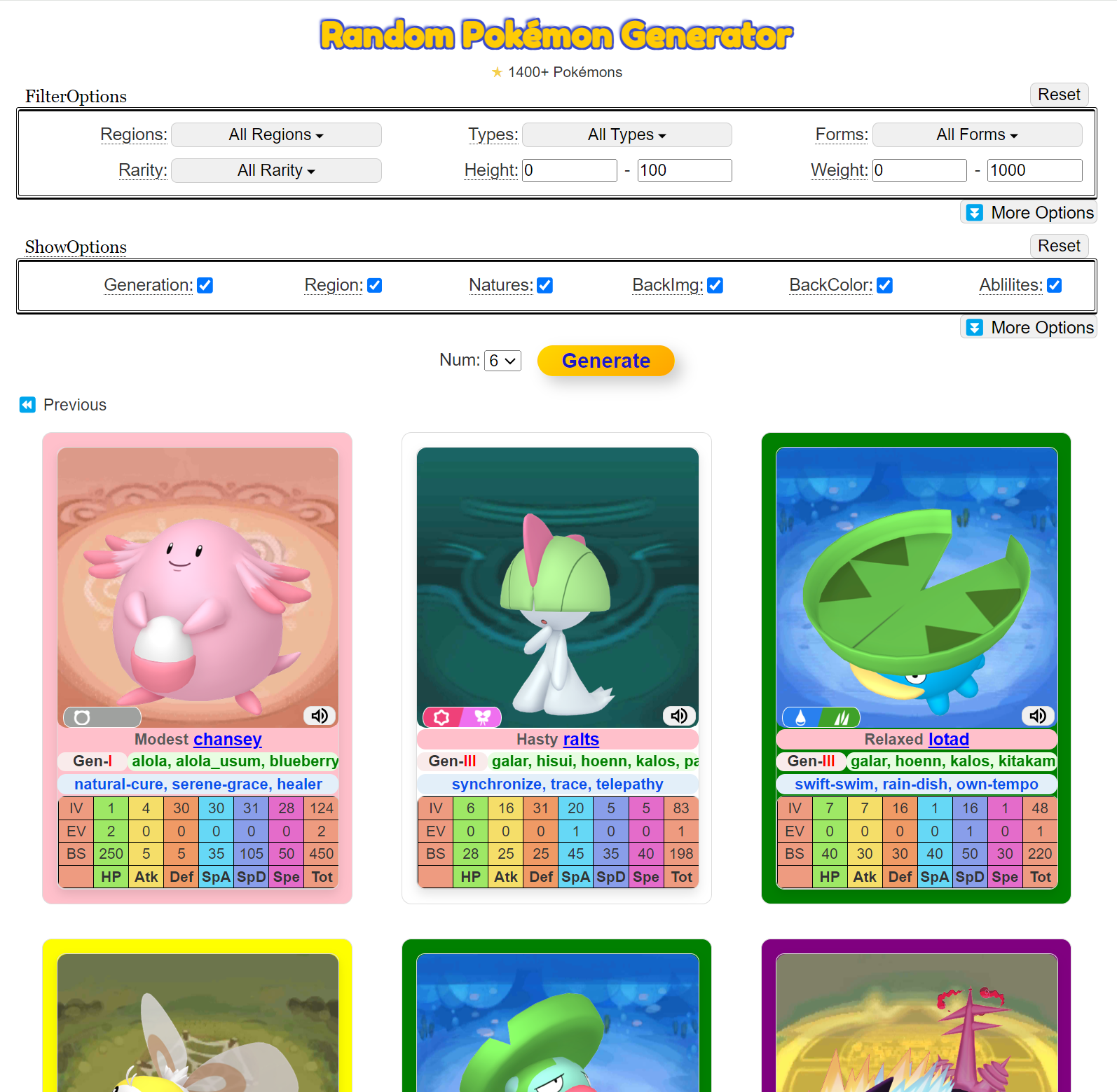
Try the best ai image generator & photo editor: TryBanana2RandomPokeGenToolsGen N Pokemon List🔥AI Video GeneratorFun SitesBlogDocumentationLightIntroductionGettting StartedFilter OptionsDisplay OptionsHistory ViewShiny PokémonFAQschrome-extensionPrivacy Policychrome-extension-intitle-quick-searchPrivacy PolicygamesBrother Hai's Pho RestaurantLightOn This PageHow to Quickly Generate PokémonMain StepsQuestion? Give us feedback →Edit this pageScroll to topDocumentationGettting StartedGetting Started How to Quickly Generate Pokémon Visit the Random Pokémon Generator Website: Navigate to the homepage of the Random Pokémon Generator. Set the Number of Pokémon to Generate: By default, the generator will create 6 Pokémon, but this can be adjusted. Click 👉 Button: Start the generation process to see your Pokémon. Main Steps Choose Filter Options (Optional): Select filters to narrow down the type of Pokémon generated. Set Display Options (Optional): Customize how the generated Pokémon will be displayed. Click the “Generate” Button: Initiate the generation process. View the Generated Pokémon Cards: The generated Pokémon will be displayed in a card format. Reset Filters or Display Options if Needed: Use the reset button to clear all filters and display options. IntroductionFilter OptionsLightRandomPokeGenFun SitesHappyHorse 1.0AI Video GeneratorCompare HeightsBaseball Bros GameCurve RushCrazy Cattle 3DDocumentIntroductionGetting StartedFilter OptionsFAQsCopyright © 2026 DrewGrant. All rights reserved.Powered by
本页为82搜索生成的网页快照,内容来自站内索引;演示数据的原文链接仅作示例。