网页
综合
更新时间 2026-11-10 17:02:48
Automatic MSBuild configuration for the Microsoft C++ Language Server in Copilot CLI - C++ Team Blog
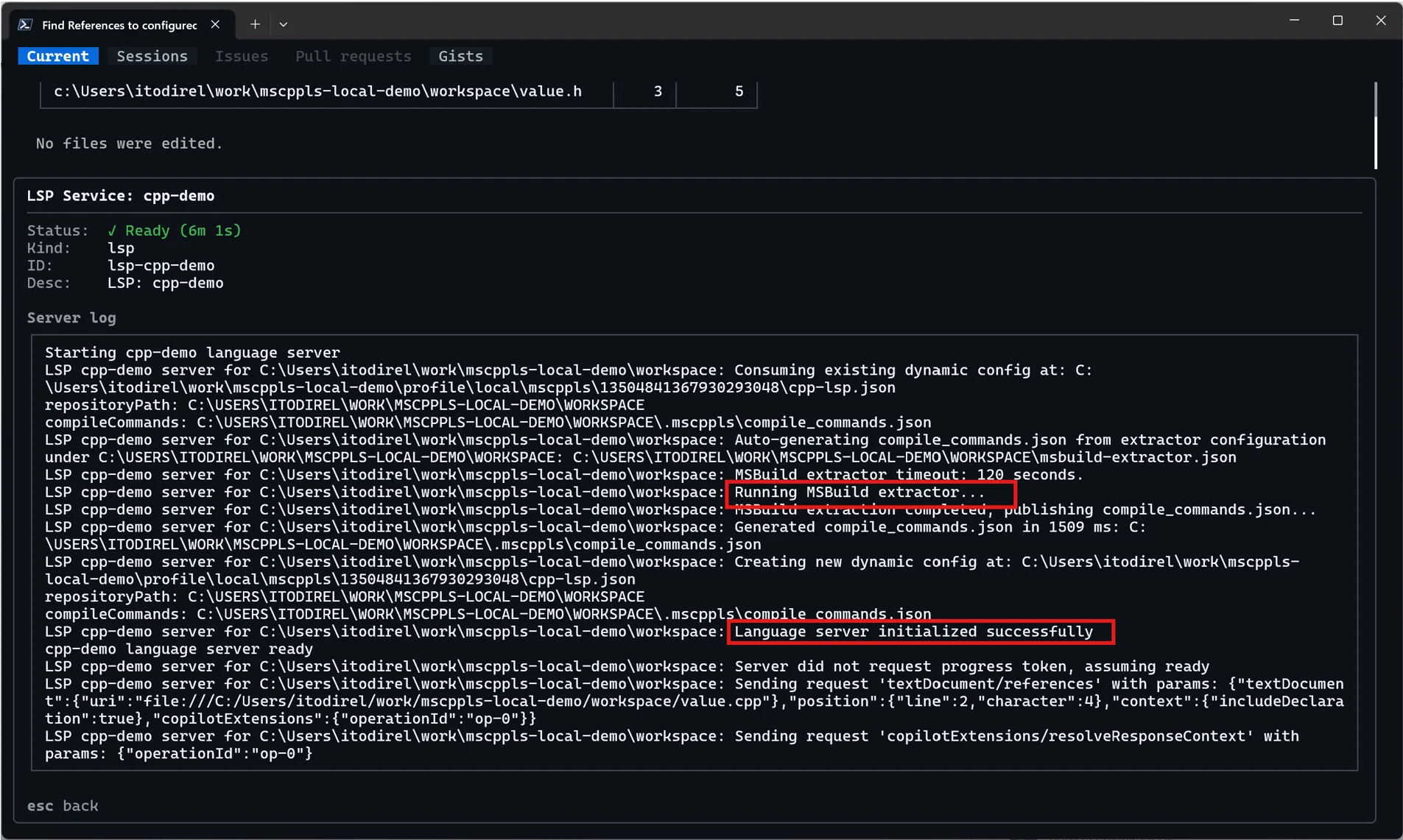
Accurate C++ code intelligence starts with understanding how your project builds. Compiler options, include paths, and preprocessor definitions all affect how the language server interprets your source files. A compilation database, such as compile_commands.json, provides that context, so that tools such as go-to-definition and find-references can resolve symbols accurately.
The Microsoft C++ Language Server now brings automatic configuration for MSBuild-based projects to GitHub Copilot CLI, using the same enterprise-grade C++ and MSBuild tooling we’ve developed and refined over years of investment in Visual Studio. This extends the automatic setup experience familiar to Visual Studio users to the CLI, backed by the same proven tooling.
With this, the language server bundles an MSBuild compile commands extractor and runs it automatically at startup when a compile_commands.json file needs to be generated, providing the necessary build context with less setup on your part.
Previously, configuring an MSBuild-based project from the Copilot CLI required either supplying a compile_commands.json file yourself or having Copilot locate and run a configuration skill to generate one. That discovery and execution step added setup time and consumed tokens before the agent could use semantic code intelligence.
Automatic MSBuild configuration brings the deterministic setup experience familiar to Visual Studio users to the CLI. Compilation database generation is now built into language server startup rather than depending on the agent to initiate it. This provides:
For example, when investigating unfamiliar code, you can ask Copilot to find a function’s definition and identify its callers. Automatic configuration removes a preparatory step between opening the repository and using those capabilities.
When you open an MSBuild-based C++ project, the server uses the same MSBuild tooling from Visual Studio to read the include paths, preprocessor definitions, and compiler options defined in your .vcxproj and property sheets. It uses these settings to generate a compilation database that describes how each source file is compiled, helping the server resolve includes, evaluate macros, and provide diagnostics that reflect your build configuration.
Compilation database generation runs in the background and the time required depends on your solution’s size and complexity. You can check the compilation progress at any point with:
This only automates the compilation database. See the quick start for installation and prerequisites, including accepting the EULA.
To configure timeout settings or disable the automatic MSBuild configuration, visit our configuration docs. Changes take effect on the next language-server startup.
For other build systems, you can provide your own compile_commands.json or use a skill to generate one:
To report a problem or suggest an improvement, open an issue in the GitHub repository
Be the first to start the discussion.
Enter the destination URL
Or link to existing content
The Microsoft C++ Language Server now brings automatic configuration for MSBuild-based projects to GitHub Copilot CLI, using the same enterprise-grade C++ and MSBuild tooling we’ve developed and refined over years of investment in Visual Studio. This extends the automatic setup experience familiar to Visual Studio users to the CLI, backed by the same proven tooling.
With this, the language server bundles an MSBuild compile commands extractor and runs it automatically at startup when a compile_commands.json file needs to be generated, providing the necessary build context with less setup on your part.
Previously, configuring an MSBuild-based project from the Copilot CLI required either supplying a compile_commands.json file yourself or having Copilot locate and run a configuration skill to generate one. That discovery and execution step added setup time and consumed tokens before the agent could use semantic code intelligence.
Automatic MSBuild configuration brings the deterministic setup experience familiar to Visual Studio users to the CLI. Compilation database generation is now built into language server startup rather than depending on the agent to initiate it. This provides:
For example, when investigating unfamiliar code, you can ask Copilot to find a function’s definition and identify its callers. Automatic configuration removes a preparatory step between opening the repository and using those capabilities.
When you open an MSBuild-based C++ project, the server uses the same MSBuild tooling from Visual Studio to read the include paths, preprocessor definitions, and compiler options defined in your .vcxproj and property sheets. It uses these settings to generate a compilation database that describes how each source file is compiled, helping the server resolve includes, evaluate macros, and provide diagnostics that reflect your build configuration.
Compilation database generation runs in the background and the time required depends on your solution’s size and complexity. You can check the compilation progress at any point with:
This only automates the compilation database. See the quick start for installation and prerequisites, including accepting the EULA.
To configure timeout settings or disable the automatic MSBuild configuration, visit our configuration docs. Changes take effect on the next language-server startup.
For other build systems, you can provide your own compile_commands.json or use a skill to generate one:
To report a problem or suggest an improvement, open an issue in the GitHub repository
Be the first to start the discussion.
Enter the destination URL
Or link to existing content
访问原文
返回搜索
https://devblogs.microsoft.com/cppblog/automatic-msbuild-configuration-for-the-microsoft-c-language-server-in-copilot-cli/
本页为82搜索生成的网页快照,内容来自站内索引;演示数据的原文链接仅作示例。